


Preparation Steps
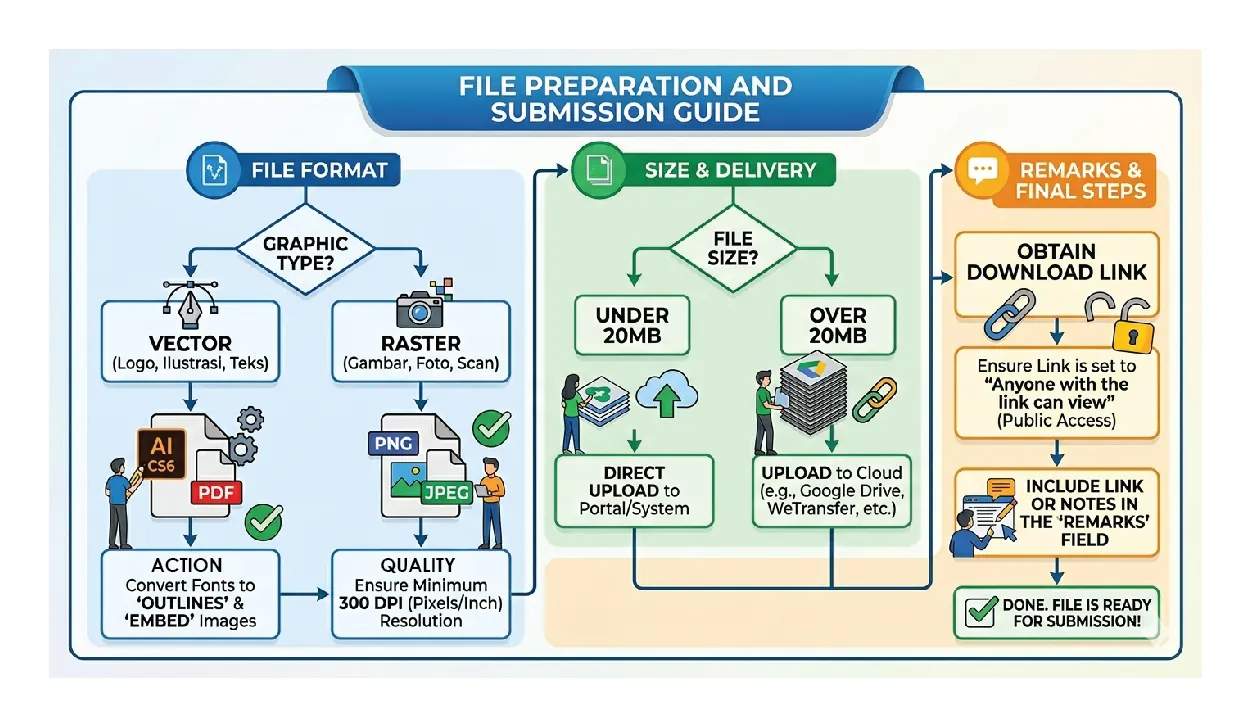
Check the Resolution:
If you are using Photoshop or exporting a JPEG, go to Image > Image Size and ensure the resolution is set to at least 300 Pixels/Inch.
Manage File Size:
Under 20MB: You can upload these directly to the submission portal. Over 20MB: Upload the file to a cloud service (Google Drive, WeTransfer, or Dropbox).
The “Remarks” Field:
If your file is large, make sure the sharing settings on your link are set to “Anyone with the link can view/download” before pasting it into the Remarks section.
Submit Files
